Part of the Punjab Police ASI 2026 course.Take a mock test →
DIGITAL LITERACY · FOUNDATION SERIES

Computer Memory: Units, RAM, ROM, Cache, Hard Disk and Storage Devices

Bits and bytes, primary and secondary memory, RAM vs ROM, the memory hierarchy, and how hard disks, CDs, pen drives and magnetic tape store data.

Punjab PolicePSSSB13 MIN READ
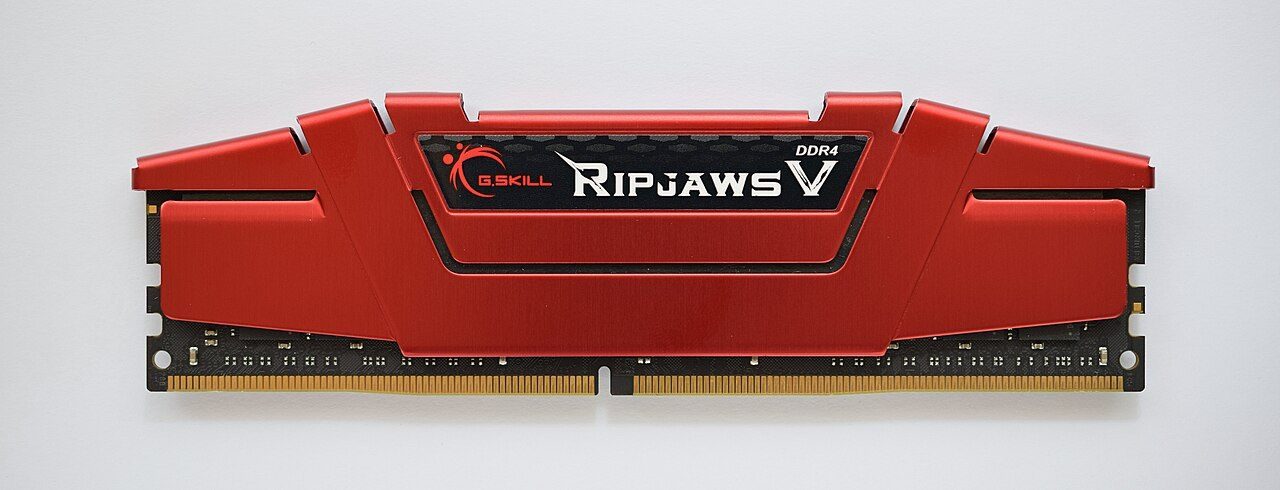
A long green RAM stick with black memory chips in a row and gold contacts along the bottom edge
A DDR4 RAM module. RAM is the computer's working memory. It is fast, but it forgets everything when the power goes off. Image: ElooKoN, Wikimedia Commons · CC BY-SA 4.0

Memory is the part of a computer that holds data and programs. Some memory is fast but forgets when power goes off, like RAM. Some is slower but keeps data for years, like a hard disk or a pen drive. Punjab Police papers ask about this topic often: memory units, primary vs secondary memory, RAM vs ROM, cache, and the parts of hard disks and magnetic tape.

8
Bits in one byte
4 bits = 1 nibble
1024
KB in one MB
Each unit is 2¹⁰ times the last
3
Parts of disk access time
Seek + latency + transfer
1.44 MB
A 3.5-inch floppy disk
The common high-density size

Memory units and the two families of memory

From one bit to a terabyte, and primary vs secondary memory.

KEY TERM
Bit and byte

A bit (binary digit) is the smallest unit of data. It is a single 0 or 1. 4 bits make a nibble and 8 bits make a byte. One byte can hold one character, such as the letter A.

Bit→Nibble (4 bits)→Byte (8 bits)
UnitEquals
1 Kilobyte (KB)1024 bytes
1 Megabyte (MB)1024 KB
1 Gigabyte (GB)1024 MB
1 Terabyte (TB)1024 GB
1 Petabyte (PB)1024 TB
Then Exabyte (EB), Zettabyte (ZB), Yottabyte (YB)Each is 1024 of the one before
In exams, always take 1 KB = 1024 bytes (2¹⁰). Drive makers often count 1 GB as 1000 MB, so a new drive shows a little less space on the computer.
How many bytes? Each unit as a power of 2
KB
2¹⁰ bytes
MB
2²⁰ bytes
GB
2³⁰ bytes
TB
2⁴⁰ bytes
PB
2⁵⁰ bytes
Every step up adds 10 to the power, which means ×1024.
REMEMBER

"Kind Men Give To Poor" = KB → MB → GB → TB → PB (small to big).

PRIMARY VS SECONDARY MEMORY
Primary (main / internal)
Secondary (auxiliary)
Examples
RAM, ROM, cache
Hard disk, SSD, pen drive, CD
CPU access
Direct
Data first goes to RAM
Speed
Fast
Slower
Cost per GB
High
Low
Size
Limited (GBs)
Large (often TBs)
Power off
RAM loses data
Data stays (files)
All magnetic (hard disk, floppy, tape) and optical (CD, DVD) media are secondary memory. So are flash drives and memory cards; papers call them memory storage devices.
QUICK CHECK
________ can be referred to as primary storage and ________ can be referred to as secondary storage in a computer system.
Tap an option to answer
QUICK CHECK
In which type of computer storage are data and programs stored permanently in the form of files?
Tap an option to answer
QUICK CHECK
State whether the following statements are true or false for RAM. (i) RAM is a volatile memory as the data is lost when the power is turned off. (ii) RAM is also called the secondary memory.
Tap an option to answer

RAM and ROM: the two kinds of primary memory

Volatile vs non-volatile, SRAM vs DRAM, and the ROM family.

KEY TERM
Volatile and non-volatile

Volatile memory needs power to keep its data. When power goes, the data is lost. RAM and cache are volatile. Non-volatile memory keeps data without power. ROM, flash memory, SSD and hard disk are non-volatile.

Power off→RAM: data lost→ROM: data stays
RAM VS ROM
RAM
ROM
Full form
Random Access Memory
Read Only Memory
Without power
Volatile: data lost
Non-volatile: data stays
Read / write
Read and write
Mostly read only
Holds
Programs running now
BIOS / start-up program
BIOS must run the moment you switch on, so it sits in ROM (today, a flash chip). RAM is empty at start-up.
TWO KINDS OF RAM
SRAM (Static)
DRAM (Dynamic)
Built with
Flip-flops (transistors)
Tiny capacitors
Refresh needed?
No
Yes, again and again
Speed / cost
Faster, costlier
Slower, cheaper
Used as
Cache memory
Main memory (RAM sticks)
DDR = Double Data Rate. DDR3, DDR4 and DDR5 are types of DRAM used as main memory. They are primary, not secondary.
ROM typeFull formHow it is written or erased
ROM (mask ROM)Read Only MemoryWritten once at the factory. Cannot be changed.
PROMProgrammable ROMThe user can write it only once.
EPROMErasable Programmable ROMErased with ultraviolet (UV) light, then written again.
EEPROMElectrically Erasable Programmable ROMErased electrically, without taking the chip out.
Flash memoryA kind of EEPROMErased in large blocks. Used in pen drives, SSDs, memory cards and BIOS chips.
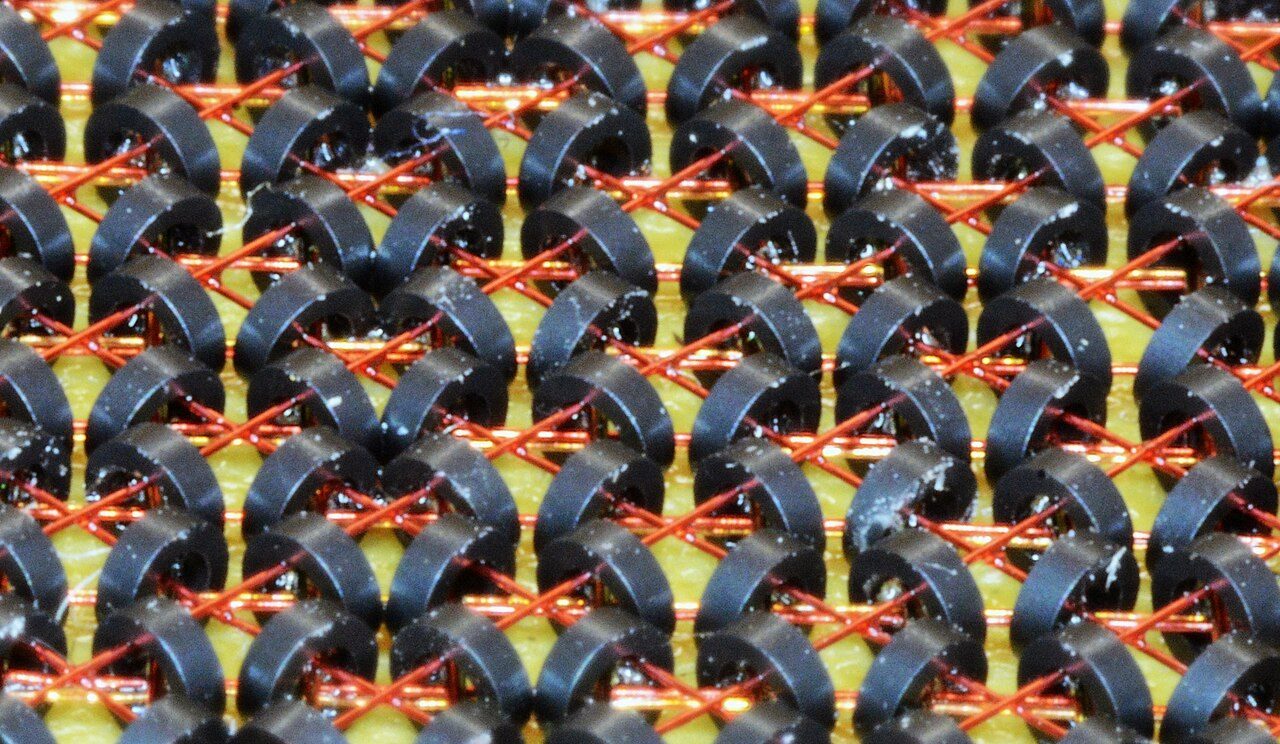
Close-up of a grid of tiny dark rings threaded on fine crossing wires: magnetic-core memory
Magnetic-core memory, the main memory of many computers from the mid-1950s into the 1970s. Each tiny ring stored one bit. It kept its data even without power. Image: Bubba73 (Jud McCranie), Wikimedia Commons · CC BY-SA 4.0
QUICK CHECK
What distinguishes ROM from RAM in terms of functionality?
Tap an option to answer
QUICK CHECK
In the context of computer architecture, what is the primary distinction between volatile and non-volatile memory?
Tap an option to answer
QUICK CHECK
Which of the following options representing non-volatile memory stores the Basic Input Output System (BIOS) program of the computer?
Tap an option to answer

The memory hierarchy and cache

Fast and small at the top, slow and big at the bottom.

MEMORY HIERARCHY: FROM FASTEST TO SLOWEST
  1. fastest
    Registers
    Inside the CPU. Fastest and smallest.
  2. Cache (L1 → L2 → L3)
    Very fast SRAM between the CPU and RAM.
  3. Main memory (RAM)
    Holds the programs that are open now.
  4. SSD / hard disk
    Keeps all your files, even when switched off.
  5. slowest
    CD/DVD, magnetic tape
    Backup and archives. Slowest, cheapest per GB.
Going down: speed falls, cost per GB falls, capacity rises.
KEY TERM
Cache memory

Cache is a small, very fast memory between the CPU and RAM. It keeps copies of the data and instructions the CPU uses most. L1 is the smallest and fastest, inside each core. L2 is bigger and a little slower. Many CPUs also have a shared L3. If the CPU does not find an instruction in L1 but finds it in L2, the instruction is first copied from L2 into L1, and the CPU then uses it.

L1 miss→Found in L2→Copied to L1→Executed
Primary memory trait
Volatile

RAM forgets everything in a power cut.

Primary memory trait
High cost

Costs more per GB than a disk.

Primary memory trait
Limited size

A few GB, not TB.

Primary memory trait
Fast access

Nanoseconds. That is why the CPU works from it.

"Slow access" is not a trait of internal memory. It is fast.

QUICK CHECK
A program is run and the CPU needs to fetch the next instruction. If the instruction is not found in the L1 cache but is present in the L2 cache, what is the next step before the instruction is finally executed?
Tap an option to answer
QUICK CHECK
Which of the following is NOT a main characteristic of the internal memory of a computer?
Tap an option to answer

Secondary storage: magnetic, optical and flash

Three ways to keep data for years.
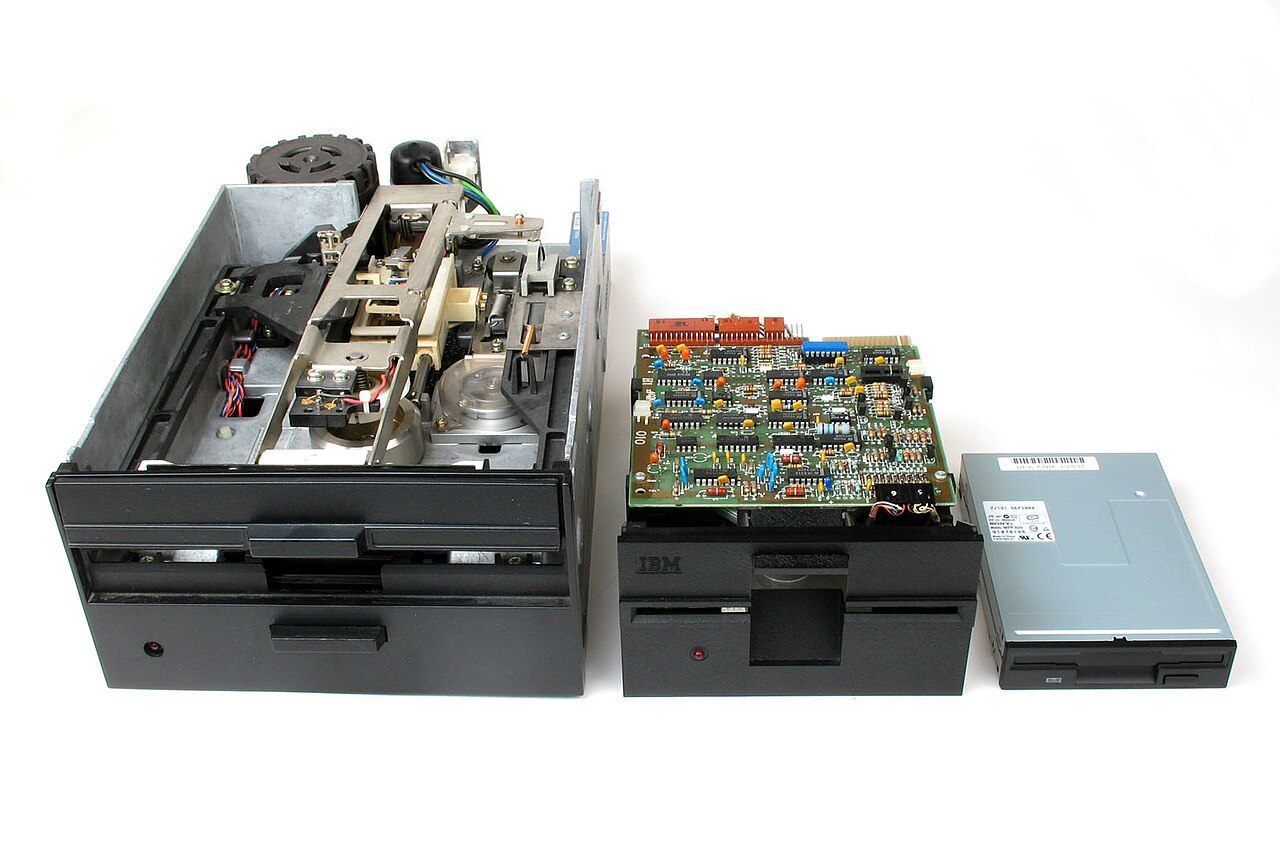
Storage you can hold in your hand
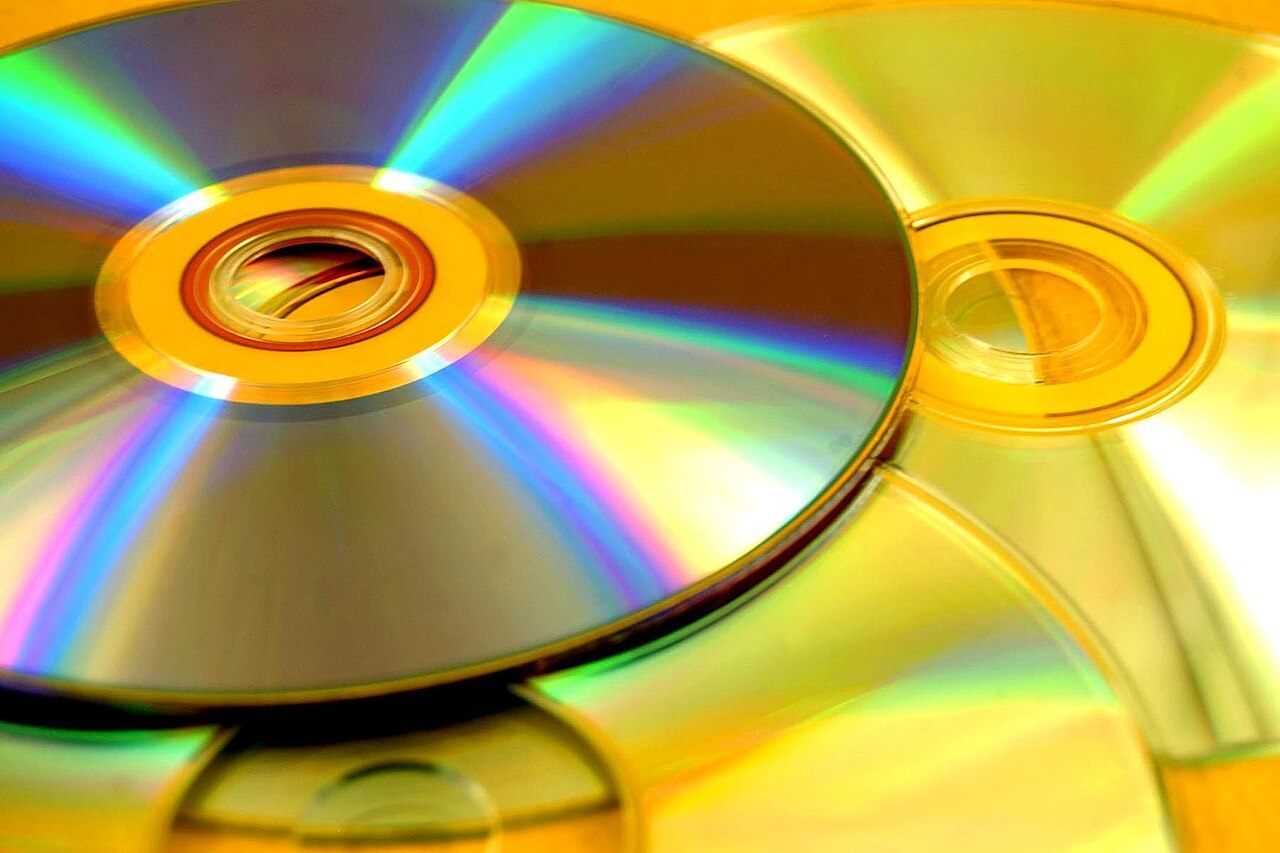
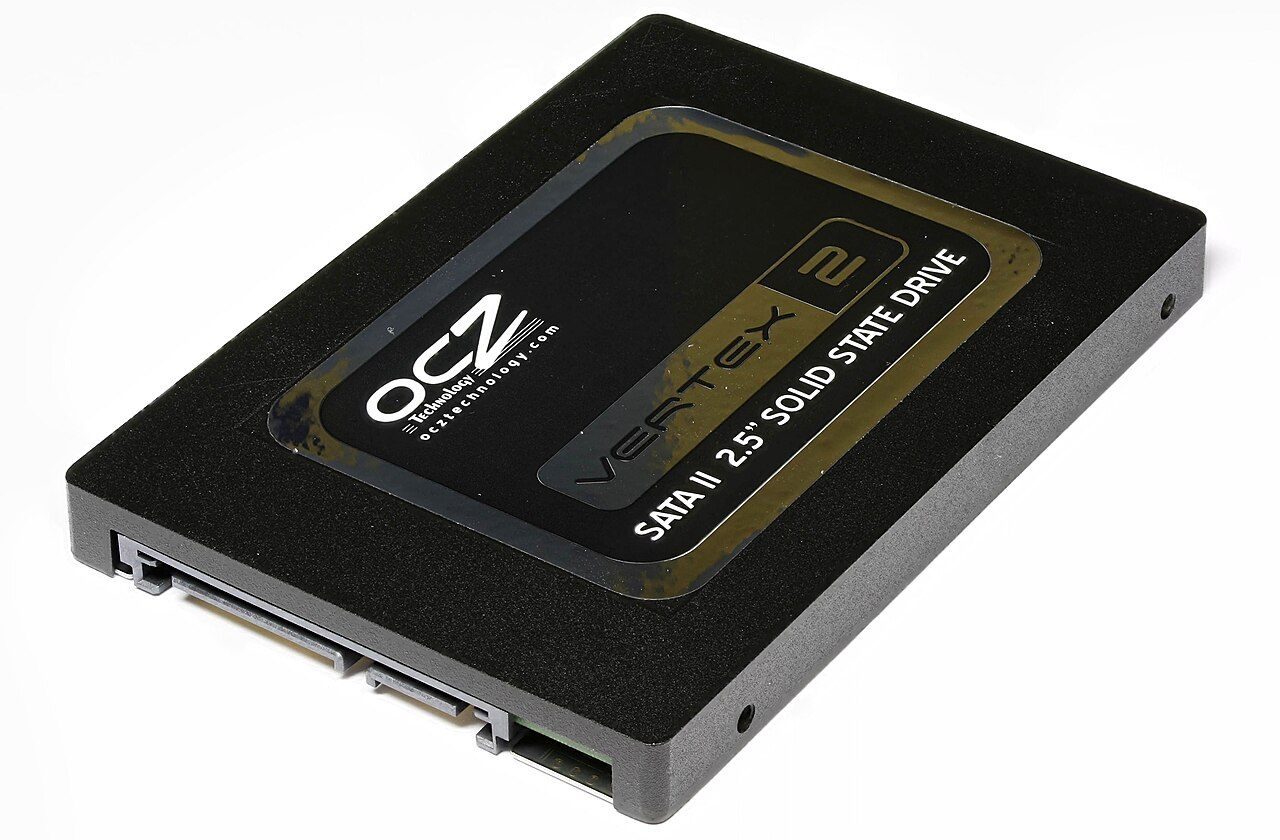
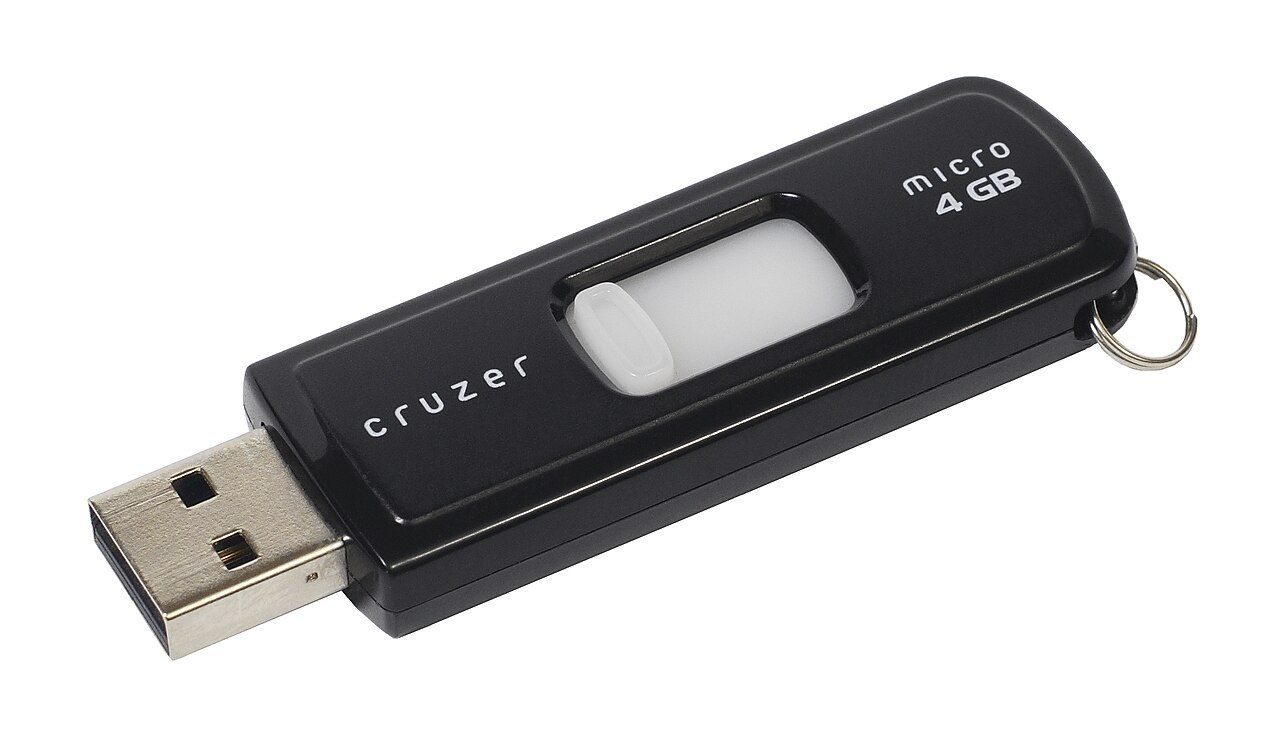
Image
FamilyHow it storesExamples
MagneticTiny magnetised spots on a coated surfaceHard disk, floppy disk, magnetic tape
OpticalPits on a shiny layer, read by a laserCD, DVD, Blu-ray
Flash (solid state)Electric charge in chips; no moving partsPen drive, memory card, SSD
Hard disk = magnetic disk. DVD = optical disk. Both pairs are correct.
Usual capacity of one disc or disk (single layer)
3.5-inch floppy
1.44 MB
CD
about 700 MB
DVD
4.7 GB
Blu-ray
25 GB
Blu-ray holds more because its blue-violet laser reads smaller pits. A DVD with two layers holds more than 4.7 GB.
KEY TERM
Pen drive

A flash drive is also called a pen drive, USB drive or thumb drive. It uses flash memory, so it keeps data without power. It is secondary memory. Flash drives and memory cards are called memory storage devices.

Flash drive→= pen drive→= USB / thumb drive
COMMON TRAPS
  • SSD, not "SDD". SSD = Solid State Drive. It replaces a hard disk inside the computer. It is not another name for a pen drive.
  • DDR, SRAM are RAM (primary). Flash ROM holds firmware. Of these four, only the pen drive is secondary storage.
  • "Light drive" and "pencil drive" are not real terms.
QUICK CHECK
Which of the following pair of storage device type - device is correct? I. Magnetic disk - Hard disk II. Optical disk - DVD
Tap an option to answer
QUICK CHECK
A computer's secondary memory permanently stores data and programs even when the computer is turned off. Identify which of the following is a type of secondary memory.
Tap an option to answer
QUICK CHECK
Which of the following storage devices contains plates made of aluminium or glass coated with a layer of magnetic material?
Tap an option to answer

Inside a hard disk: tracks, sectors and access time

Platters, heads, and the three waits.
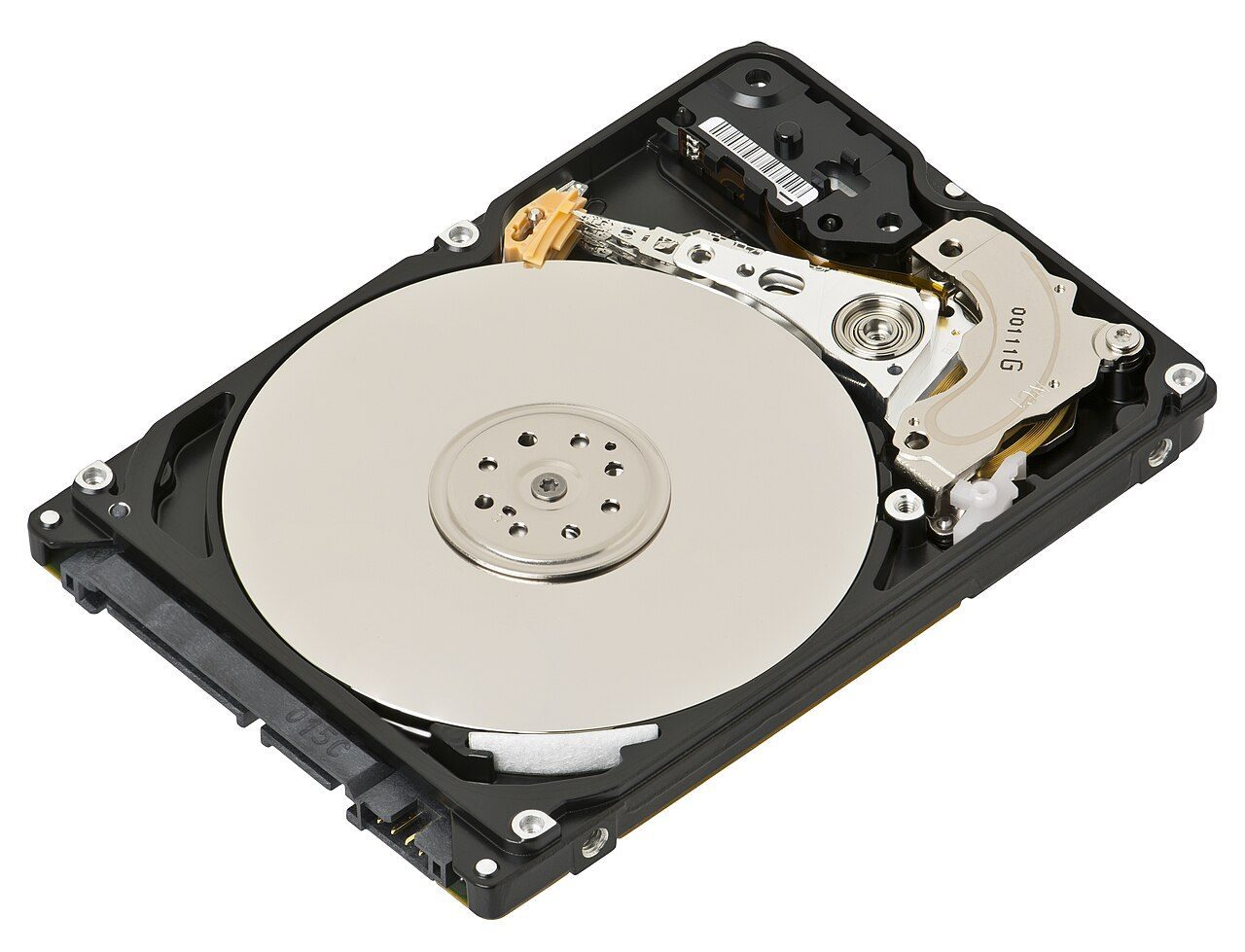
An opened laptop hard drive showing a shiny round platter and the arm with the read-write head over it
An opened 2.5-inch hard disk drive. The shiny disc is the platter. The arm carries the read-write head, which moves across the spinning platter. Image: Evan-Amos, Wikimedia Commons · CC BY-SA 3.0
Ring
Track

A circle on the platter. Tracks sit one inside another.

Pie slice
Sector

A pie-shaped segment of a track. Classically 512 bytes.

Stack
Cylinder

The same track number on every platter, one above another.

"Segment" is not a disk term. A disk pack is a stack of several platters on one spindle.

DISK ACCESS TIME = THREE WAITS ADDED TOGETHER
  1. 1
    Seek time
    The head moves to the right track.
  2. 2
    Latency
    The disk spins the right sector under the head. Also called rotational delay.
  3. 3
    Transfer time
    The data is read or written. It depends on the transfer rate.
Access time = seek time + latency + transfer time. All three count.
REMEMBER

"Seek the street, wait for the house, then walk in." Seek = go to the track. Latency = wait for the sector. Transfer = read the data.

  • A hard disk drive is also called a hard drive, fixed disk or simply a disk drive. It is secondary storage, so "primary drive" is wrong.
  • A disk is a direct (random) access device: the head can jump straight to any track. A tape is sequential: you must wind past everything before it.
QUICK CHECK
In magnetic disks, the time taken by the read-write head to move to the specified track is known as ______.
Tap an option to answer
QUICK CHECK
Latency time is also known as ______.
Tap an option to answer
QUICK CHECK
The disk access time depends on which of the following parameters. I. Seek time II. Latency III. Transfer rate
Tap an option to answer

Magnetic tape: channels, frames and blocking

Old, slow, cheap, and still asked.

ROWS AND COLUMNS ON A MAGNETIC TAPE
Channel (track)
Frame
Direction
Horizontal row, along the tape
Vertical column, across the tape
Holds
One bit position
One character
On 9-track tape
9 channels
8 data bits + 1 parity bit
Horizontal = channel. Vertical = frame. "Sectors" belong to disks, not tapes.
KEY TERM
Blocking

A tape drive needs blank tape each time it starts and stops. So records are grouped: two or more records joined into one block is called blocking. The number of records in a block is the blocking factor. The blank space between two blocks is the inter-block gap (IBG). Blocking saves tape and time.

Record→Record→= 1 block→gap (IBG)
QUICK CHECK
A magnetic tape contains perpendicular (vertical) columns which are called ______.
Tap an option to answer
QUICK CHECK
The process of grouping two or more records together in a magnetic tape is known as ______.
Tap an option to answer

Quick revision

Full forms, traps and one-line facts.

FLASHCARDS
Full forms: tap to check
RAM
Random Access Memory
ROM
Read Only Memory
PROM
Programmable Read Only Memory
EPROM
Erasable Programmable Read Only Memory
EEPROM
Electrically Erasable Programmable Read Only Memory
SRAM / DRAM
Static RAM / Dynamic RAM
DDR
Double Data Rate
SSD
Solid State Drive
HDD
Hard Disk Drive
CD / DVD
Compact Disc / Digital Versatile Disc
USB
Universal Serial Bus
IBG
Inter-Block Gap
COMMON TRAPS
  • RAM is primary, never secondary. Flash memory (pen drive) is secondary.
  • Volatile = needs power. Don't flip it: RAM forgets, ROM remembers.
  • Seek = to the track. Latency = to the sector.
  • Disk: tracks and sectors. Tape: channels and frames.
  • Internal memory is fast, not slow.
Also asked onceTap to open
  • A flash drive is also called a pen drive.
  • Another name for a hard disk drive is disk drive.
  • Flash drives and memory cards are examples of memory storage devices.
  • Magnetic and optical memory are examples of secondary memory.
  • The pie-shaped segments on a magnetic disk are sectors.
  • The horizontal rows on a magnetic tape are channels.
CHECK YOURSELF

Arrange from fastest to slowest: hard disk, cache, register, RAM. Then say which of them are volatile.

Show answer

Register → cache → RAM → hard disk. Registers, cache and RAM are volatile. The hard disk is non-volatile.

Frequently Asked Questions

What is the difference between RAM and ROM?

RAM is volatile working memory that you can read and write; it loses data when power goes off. ROM is non-volatile, mostly read-only, and holds start-up programs such as the BIOS.

What is volatile memory?

Volatile memory needs power to keep its data, so everything is lost when the power is turned off. RAM and cache are volatile.

How many bytes are there in 1 KB?

1 KB = 1024 bytes. Likewise 1 MB = 1024 KB, 1 GB = 1024 MB and 1 TB = 1024 GB. One byte is 8 bits.

What is the difference between primary and secondary memory?

Primary memory (RAM, ROM, cache) is accessed directly by the CPU; it is fast, costly and limited. Secondary memory (hard disk, SSD, pen drive, CD) is slower and cheaper, and it keeps files permanently.

What is cache memory?

Cache is a small, very fast memory between the CPU and RAM. It keeps copies of the data and instructions the CPU uses most, in levels L1, L2 and often L3.

Where is the BIOS stored?

In ROM on the motherboard (in modern computers, a flash chip). It is non-volatile, so the BIOS is ready the moment the computer is switched on.

What is seek time in a hard disk?

Seek time is the time the read-write head takes to move to the required track. Disk access time is seek time plus rotational latency plus transfer time.

What are tracks and sectors?

Tracks are the circles on a disk platter, one inside another. Sectors are the pie-shaped segments that divide each track.

Is a pen drive primary or secondary memory?

Secondary memory. A pen drive (USB flash drive) uses non-volatile flash memory and keeps files without power.

Is a DVD magnetic or optical storage?

Optical. CDs, DVDs and Blu-ray discs are read by a laser. Hard disks, floppy disks and magnetic tape are magnetic.

← All Storage notes