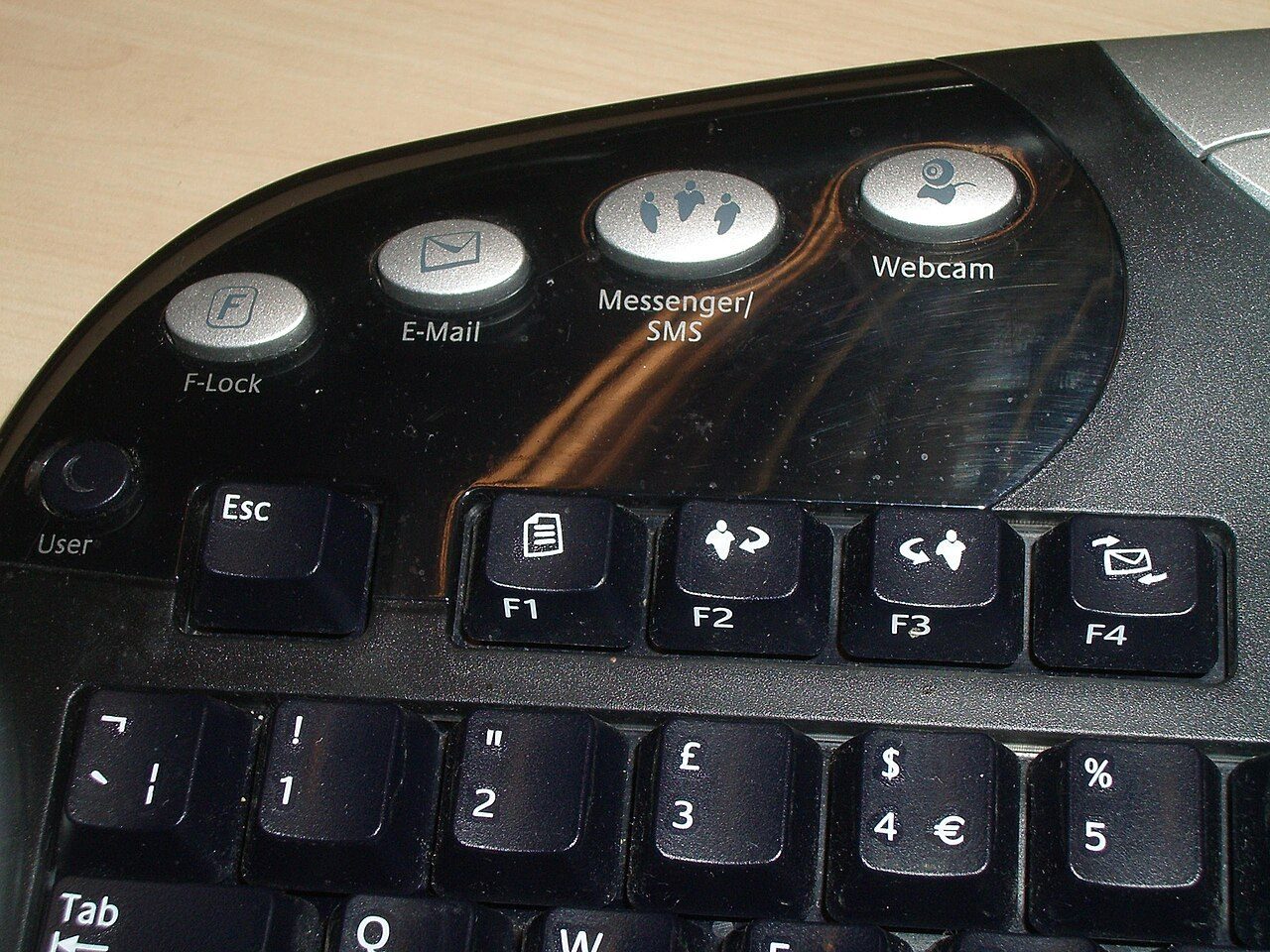
A shortcut key is a key, or a group of keys pressed together, that does a job without the mouse. Ctrl+P, for example, opens Print. You hold the first key (Ctrl, Alt or Shift) and tap the last one. Punjab Police SI and Constable papers ask shortcuts from Windows, MS Word, PowerPoint, Excel and Chrome. This page puts them in tables, program by program.
Special keys and function keys
Delete, Backspace, Insert, Esc and F1 to F12.
Control key. Used for most file and edit commands: Ctrl+S, Ctrl+C.
Alternate key. Used for windows and menus: Alt+Tab, Alt+F4.
Gives capital letters and upper symbols. Also changes a shortcut: Shift+F5.
A modifier key does nothing alone. It changes what the next key does.
- Insert modeNew letters push old letters to the right.
- InsPress Ins onceThe mode switches (it is a toggle key).
- Overwrite modeNew letters replace the old letters.
| Function key | Common job |
|---|---|
| F1 | Help |
| F2 | Rename a file (File Explorer); edit the cell (Excel) |
| F3 | Find the next match (browsers) |
| F4 | Alt+F4 closes the window; in Excel, switches $ references |
| F5 | Refresh (browser); start slide show (PowerPoint); Go To (Excel) |
| F7 | Spelling and grammar check (Office) |
| F10 | Shows the menu / ribbon key letters |
| F11 | Full screen (browser) |
| F12 | Save As (Office) |
Windows shortcuts that work almost everywhere
Copy, paste, undo, switch windows, screenshots and Task Manager.
| Shortcut | Job |
|---|---|
| Ctrl+C / Ctrl+X / Ctrl+V | Copy / Cut / Paste |
| Ctrl+Z / Ctrl+Y | Undo / Redo |
| Ctrl+A | Select all |
| Ctrl+N / Ctrl+O / Ctrl+S | New / Open / Save |
| Ctrl+P | |
| Ctrl+W | Close the current document or tab |
| Ctrl+F / Ctrl+H | Find / Replace |
| Windows key combo | Job |
|---|---|
| Alt+Tab | Switch between open windows (most recent first) |
| Alt+Esc | Cycle through items in the order they were opened |
| Alt+F4 | Close the active window or program |
| Ctrl+Alt+Delete | Security screen; open Task Manager from it |
| Ctrl+Shift+Esc | Open Task Manager directly |
| Win+D | Show the desktop |
| Win+E | Open File Explorer |
| Win+L | Lock the computer |
| Shift+Delete | Delete a file without sending it to the Recycle Bin |
Task Manager is the Windows system monitor. It lists the programs and processes that are running and how much CPU and memory each uses. You can end a stuck program from it.
MS Word shortcuts
Bold, alignment, superscript, page break and Replace.
L-E-R-J = Left, cEntre, Right, Justify. Only centre hides its letter inside the word.
| Word shortcut | Job |
|---|---|
| Ctrl+Shift+= (Ctrl+Shift++) | Superscript (x²) |
| Ctrl+= | Subscript (H₂O) |
| Ctrl+Enter | Page break: the text after the cursor moves to a new page |
| Shift+Enter | Line break inside the same paragraph |
| Ctrl+H | Find and Replace box, Replace tab open |
| Ctrl+D | Font dialog box |
| Ctrl+K | Insert a hyperlink |
| Ctrl+N | New blank document |
| Ctrl+Y | Redo the action you undid |
MS PowerPoint shortcuts
New slide, slide show, copying formatting and the ribbon.
- F5Start from the first slide
- Shift+F5Start from the current slide
- exitEscEnd the show
| PowerPoint shortcut | Job |
|---|---|
| Ctrl+Shift+C | Copy the formatting (attributes) of a selected shape |
| Ctrl+Shift+V | Paste that formatting on another shape |
| Ctrl+F1 | Expand or collapse the ribbon (all Office programs) |
| Ctrl+H | Open Replace |
| Ctrl+Z | Undo, e.g. bring back a slide you deleted by mistake |
| Ctrl+E | Centre the selected text |
MS Excel shortcuts
Jump around the sheet, add links and close the workbook.
| Excel shortcut | Job |
|---|---|
| Ctrl+K | Insert a link (hyperlink) |
| Ctrl+L / Ctrl+T | Create Table box (not a link) |
| Ctrl+O | Open an existing workbook |
| Ctrl+W | Close the workbook |
| Ctrl+; | Today's date |
| Ctrl+G / F5 | Go To box |
| Shift+Enter | Cell above |
| Alt+Enter | New line inside a cell |
Ctrl+W closes the workbook. Its neighbours are editing keys: Ctrl+X cut, Ctrl+Y redo, Ctrl+Z undo.
Browser shortcuts (Chrome, Edge, Firefox)
Tabs, bookmarks, finding text and pasting without formatting.
| Browser shortcut | Job |
|---|---|
| Ctrl+T | New tab |
| Ctrl+W | Close the current tab |
| Ctrl+Shift+T | Reopen the tab you just closed |
| Ctrl+Tab | Go to the next tab |
| Ctrl+D | Bookmark this page |
| Ctrl+Shift+B | Show or hide the bookmarks bar (Chrome) |
| Ctrl+H / Ctrl+J | History / Downloads (Chrome) |
| Ctrl+P | Print the web page |
| F5 / Ctrl+R | Reload the page |
- Ctrl+FOpen the find box and type the word
- nextF3 (or Enter)Jump to the next match
- EscClose the find box
Quick revision
Flashcards, traps and one-line facts.
- Ctrl+E
- Centre align (Word, PowerPoint)
- Ctrl+H
- Replace (Word, PowerPoint); History (Chrome)
- Ctrl+M
- New slide (PowerPoint)
- Ctrl+N
- New document / presentation
- F5
- Start slide show from slide 1
- Esc
- End the slide show
- Ctrl+Y
- Redo
- Ctrl+Z
- Undo
- Ctrl+Enter
- Page break (Word)
- Ctrl+K
- Insert hyperlink
- Ctrl+F1
- Show / hide the ribbon
- Alt+Esc
- Cycle windows in opening order
- Ctrl+N vs Ctrl+M in PowerPoint: new presentation vs new slide.
- Ctrl+Z undoes, Ctrl+Y redoes. Don't swap them.
- Shift+Enter is a line break in Word but moves up a cell in Excel.
- Ctrl+L is left align in Word but Create Table in Excel.
- F5 starts from slide 1; Shift+F5 starts from the current slide.
- Alt+Tab = most recent order; Alt+Esc = opening order.
Also asked onceTap to open
- Ctrl+N creates a new (blank) presentation in PowerPoint, and a new document in Word.
- Deleted a slide by mistake? Ctrl+Z (Undo) brings it back.
- Ctrl+H opens Find and Replace with the Replace tab active (Word), and Replace in PowerPoint.
- Ctrl+P opens Print in MS Word, in Chrome and in almost every program.
- Ctrl+E centres text in Word 2010 and PowerPoint 2019.
- Ctrl+B applies bold in Word.
- Ctrl+Y redoes text editing in Word.
- F5 starts a PowerPoint slide show (F12 is Save As, F1 is Help); Esc exits it.
- In PowerPoint's Selection pane, Ctrl+Shift+B moves the selected item backward (Ctrl+Shift+F moves it forward).
- Ctrl+O shows the Open options in Excel (Ctrl+P is Print).
- Ctrl+Home goes to cell A1, the top of the worksheet.
- Ctrl+W closes a workbook in Excel.
You are making a PowerPoint deck. Name the keys to: add a slide, start the show from the current slide, end the show, and undo a mistake.
Show answer
Ctrl+M adds a slide. Shift+F5 starts from the current slide. Esc ends the show. Ctrl+Z undoes the mistake.